

All the services you need without having to visit the bank.
Check balances, transfer funds, pay bills available 24 hours a day!
Online Banking
Banking available from the comfort and convenience of your home, office or on the road. Online Banking is accessible 24 hours a day, seven days a week, and best of all – this service is FREE!
How to login to your Bank of Bridger account
To login to your personal account with Bank of Bridger family of banks, simply:
1. Click the “account login” button at the top right of any page on the website:

2. The account login popup will appear. Enter the valid login credentials in the online banking login form and click the “Login” button
If you forgot your password or pin, you can click the link next to the login button. If you’d like to enroll for a personal account, you can click the “enroll now” link next to the login form.
If you have any questions, concerns, or issues with finding the login form or logging into your account, please feel free to reach out to us by contacting your local bank, or calling 406.662.3388. Thank you for banking with Bank of Bridger!

Online Bill Pay
Bill Pay with Zelle® makes it a breeze to pay your bills online, pay friends and family or request a payment. It’s simply the best way to manage your payments.

Mobiliti Mobile Banking
Banking available at your fingertips! Mobiliti is an Internet based service that delivers the convenience of Online Banking to your mobile device. Mobiliti allows you to perform banking related transactions from your phone 24/7
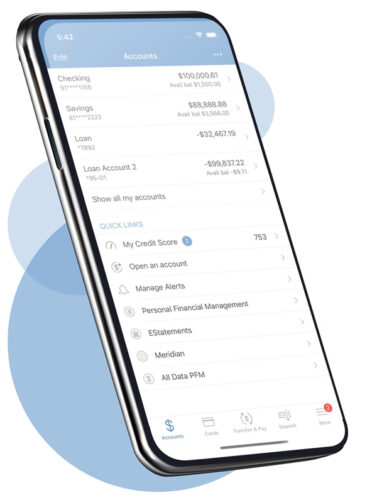
Use the Bank of Bridger Mobiliti App to:
- Check balances, pay bills, transfer money, and locate Bank of Bridger branches and ATMs.
- Mobile Check Deposit – Make deposits right from your mobile phone and save yourself a trip to the bank.
- Use Zelle® to pay anyone with a U.S. bank account.
- e-alerts – Receive alerts from Bank of Bridger on your mobile device.
*We never store personal or account information on your mobile device. All transactions are encrypted with the same secure technology as online banking.
Download the APP today!


Mobile Deposit
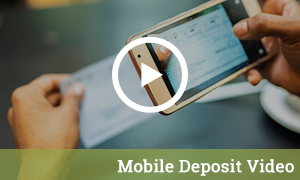
Make a check deposit when and where you want using the camera in your mobile phone, tablet or ipad! Making a deposit is as easy as taking a picture. All you need is Mobiliti enrollment and a web-enabled device with a camera.
How it Works:
- Confirm your deposit and you’re done
- Install our Bank of Bridger APP on any supported device
- Launch the APP and select “New Deposit”
- Select the account to deposit the check into and type in the amount
- Snap a well-lit picture of both sides of your endorsed check
Send and receive money with Zelle®
We have partnered with Zelle® to bring you a fast and easy way to send and receive money with friends, family and people you know. With Zelle®, you can send money directly from your account to enrolled recipients in minutes, all from the convenience of online banking or our mobile app.
Easily start today using just your email address or U.S. mobile number